
Boost Your Local Presence with Google Business Profile Optimization Guide
If you want your business to stand out locally, you need to be where your customers are searching. And guess what? They’re searching on Google. A well-optimized Google Business Profile can make all the difference. It’s not just about showing up; it’s about shining online. I’m here to walk you through how to boost your local presence with smart Google profile optimization.
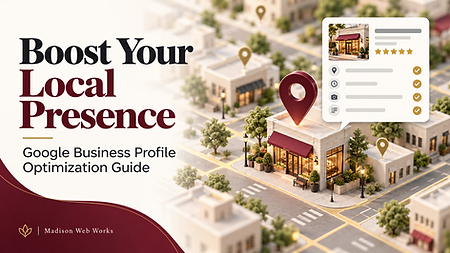
Why You Need a Google Profile Optimization Guide
Google Business Profile (GBP) is your digital storefront. When someone searches for a service or product you offer, your profile is often the first thing they see. But just having a profile isn’t enough. You need to optimize it to attract attention, build trust, and convert searches into visits or calls.
Think about it. When was the last time you scrolled past a business with no photos, outdated info, or no reviews? Probably never. People want to see fresh, accurate details and real feedback. That’s why a solid google profile optimization guide is essential.
Here’s what optimization does for you:
Improves your local search ranking
Increases customer engagement
Builds credibility with reviews and photos
Provides accurate business info instantly
Drives more foot traffic and calls
Optimizing your profile is like planting a flag in your neighborhood’s digital map. It says, “I’m here, and I’m ready to serve you.”
How to Optimize Your Google Business Profile Like a Pro
Let’s get practical. Here’s a step-by-step guide to optimizing your Google Business Profile for maximum local impact.
1. Claim and Verify Your Profile
First things first, claim your business on Google. If you haven’t done this, someone else might. Verification is crucial because it confirms you’re the rightful owner. Google offers several verification methods, including postcard, phone, or email.
2. Complete Every Section
Don’t leave blanks. Fill out every detail:
Business name (exactly as it appears offline)
Address and service areas
Phone number and website
Business hours (include special hours for holidays)
Categories (choose primary and secondary carefully)
Attributes (like “wheelchair accessible” or “free Wi-Fi”)
3. Add High-Quality Photos
Photos grab attention. Add images of your storefront, products, team, and happy customers. Businesses with photos get 42% more requests for directions and 35% more clicks to their websites.
4. Write a Compelling Business Description
Use this space to tell your story. Keep it clear and customer-focused. Highlight what makes you unique and what customers can expect.
5. Collect and Respond to Reviews
Reviews build trust. Encourage happy customers to leave positive feedback. Always respond professionally, whether the review is good or bad. It shows you care.
6. Use Posts to Share Updates
Google Posts let you share news, offers, events, or new products directly on your profile. It’s a great way to keep your audience engaged and informed.
7. Monitor and Update Regularly
Your business changes, and so should your profile. Keep your info current and check insights to see how customers interact with your profile.
How much does it cost to optimize a Google My Business profile?
Good news - optimizing your Google Business Profile doesn’t have to break the bank. In fact, the profile itself is free to create and manage. The real investment is your time and effort. If you want to save time or get expert help, you might consider professional services.
Hiring experts can range from a modest monthly fee to a one-time setup cost, depending on the depth of optimization and ongoing management. Many small businesses find that investing in google business profile optimization services pays off quickly through increased visibility and customer engagement.
Remember, the cost of not optimizing can be much higher. Missing out on local customers means lost revenue. So, whether you DIY or hire help, make sure your profile is working hard for you.
Tips to Maximize Your Local SEO Impact
Optimizing your Google Business Profile is just one piece of the puzzle. Here are some extra tips to boost your local SEO and get found faster:
Use local keywords in your business description and posts. Think about what your customers type when searching.
Build local backlinks by partnering with community sites or local directories.
Keep your NAP consistent (Name, Address, Phone) across all online platforms.
Encourage customers to mention specific services in their reviews.
Leverage Q&A on your profile by answering common questions proactively.
Use Google’s messaging feature to connect instantly with potential customers.
These strategies work hand-in-hand with your Google Business Profile to create a strong local presence.
Ready to Shine Locally? Start Optimizing Today
Your local customers are searching right now. Don’t let your business get lost in the crowd. With a little effort and the right approach, your Google Business Profile can become your most powerful marketing tool.
Remember, optimization is ongoing. Keep your profile fresh, engage with customers, and watch your local presence grow. If you want to take it a step further, consider professional google business profile optimization services to get expert help tailored to your business.
Start today, and let your business shine on Google Maps and search results. Your local customers are waiting to find you.
Boost your local presence with smart Google profile optimization. It’s easier than you think, and the results speak for themselves.


Comments